LL152 filing.
Your final steps.
Let’s finish your gas piping certification. Follow this guide to review, sign, pay and submit your existing filing in DOB NOW.
Keep this guide open next to DOB NOW. The NYC portal opens in a new tab.
Make sure DOB NOW confirms your submission, then keep your receipt and filing confirmation.
Sign in with your NYC.ID
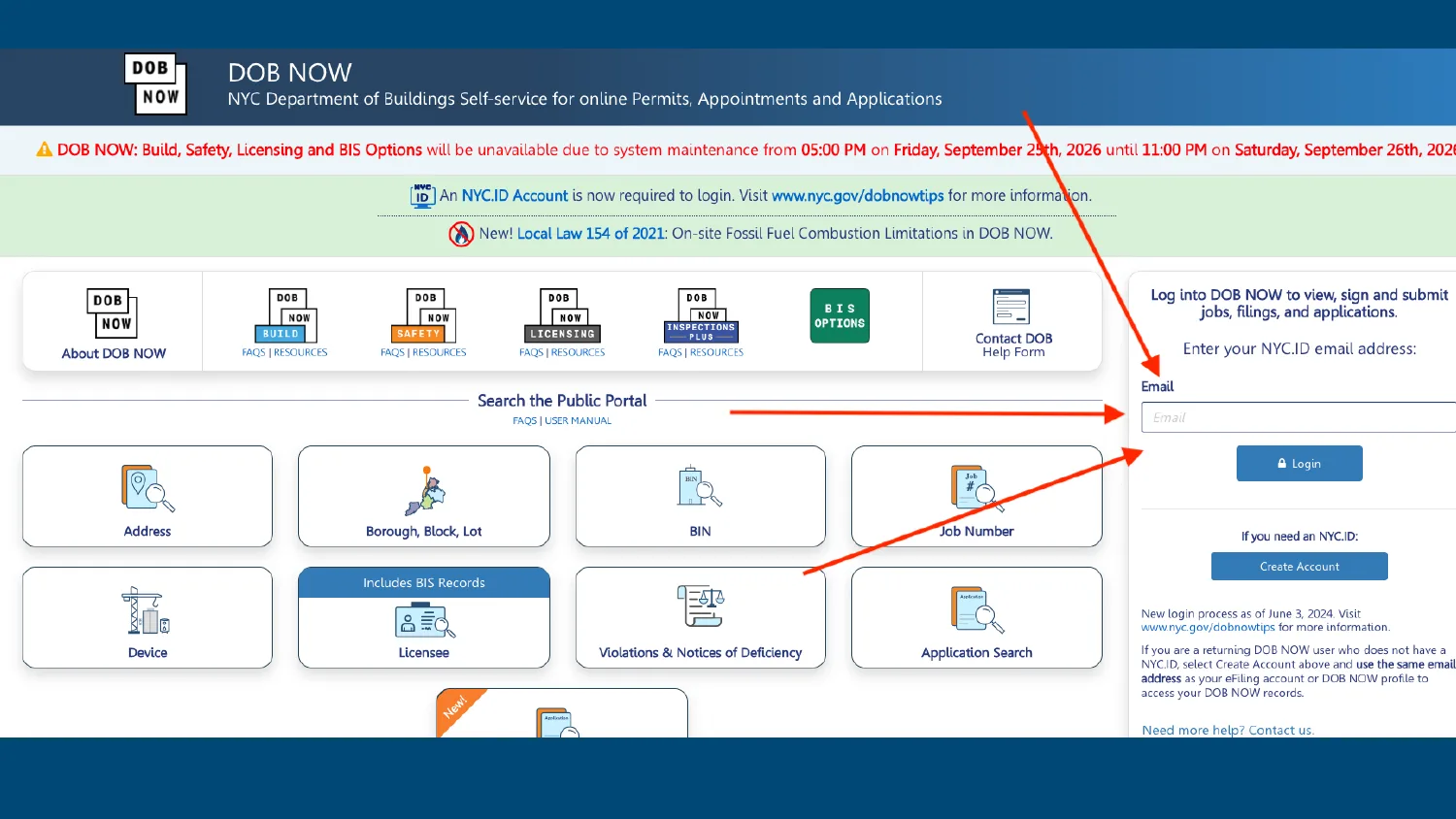
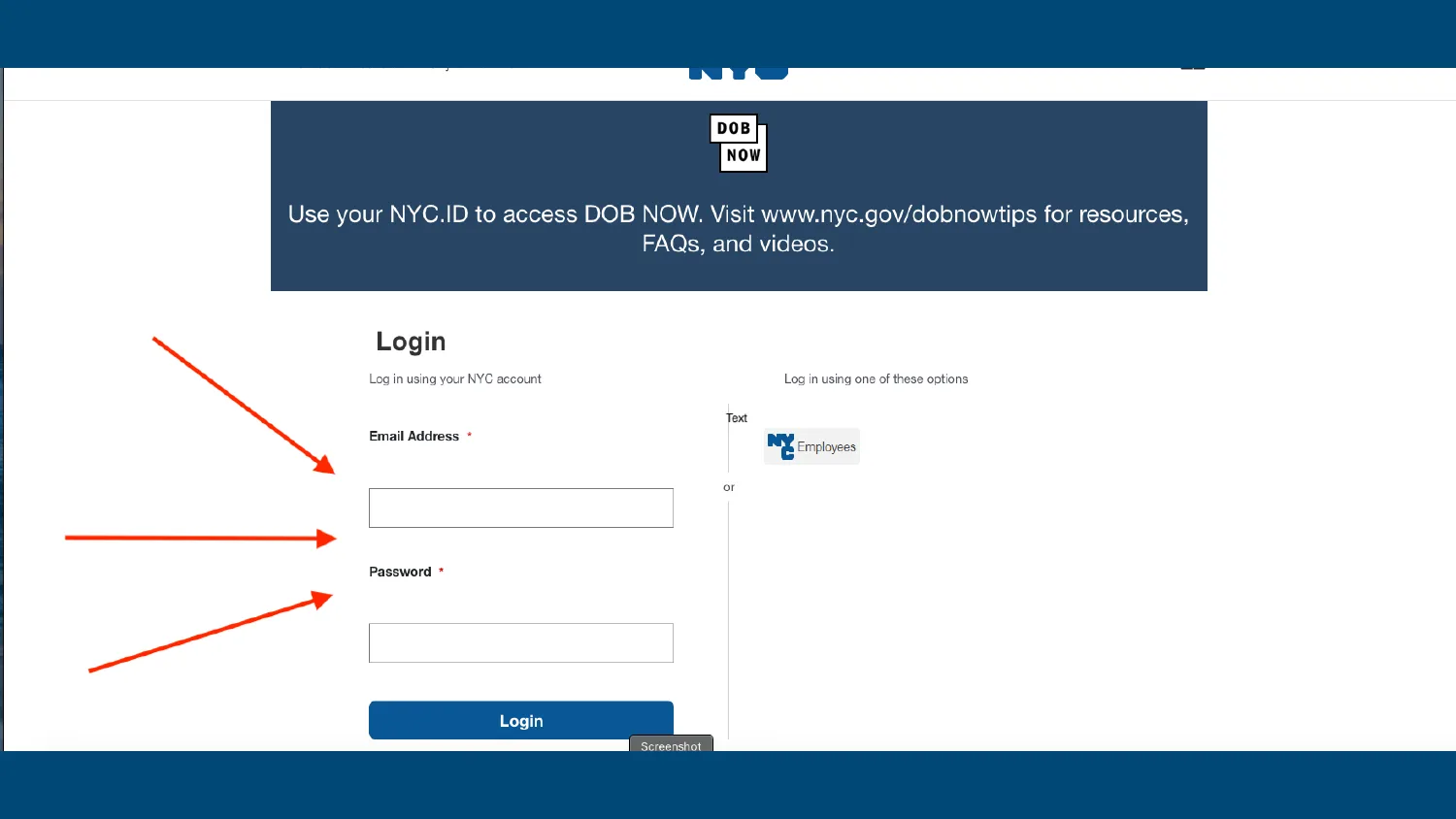
Open DOB NOW, enter your NYC.ID email address in the login panel and select Login. On the NYC.ID screen, enter your email and password, then select Login again.
 Enlarge screenshot ↗
1.aSign in with your NYC.IDTap to view this screen
 Enlarge screenshot ↗
From AGP’s PDF walkthrough. Tap a screenshot to enlarge it.
Go to Gas Piping System
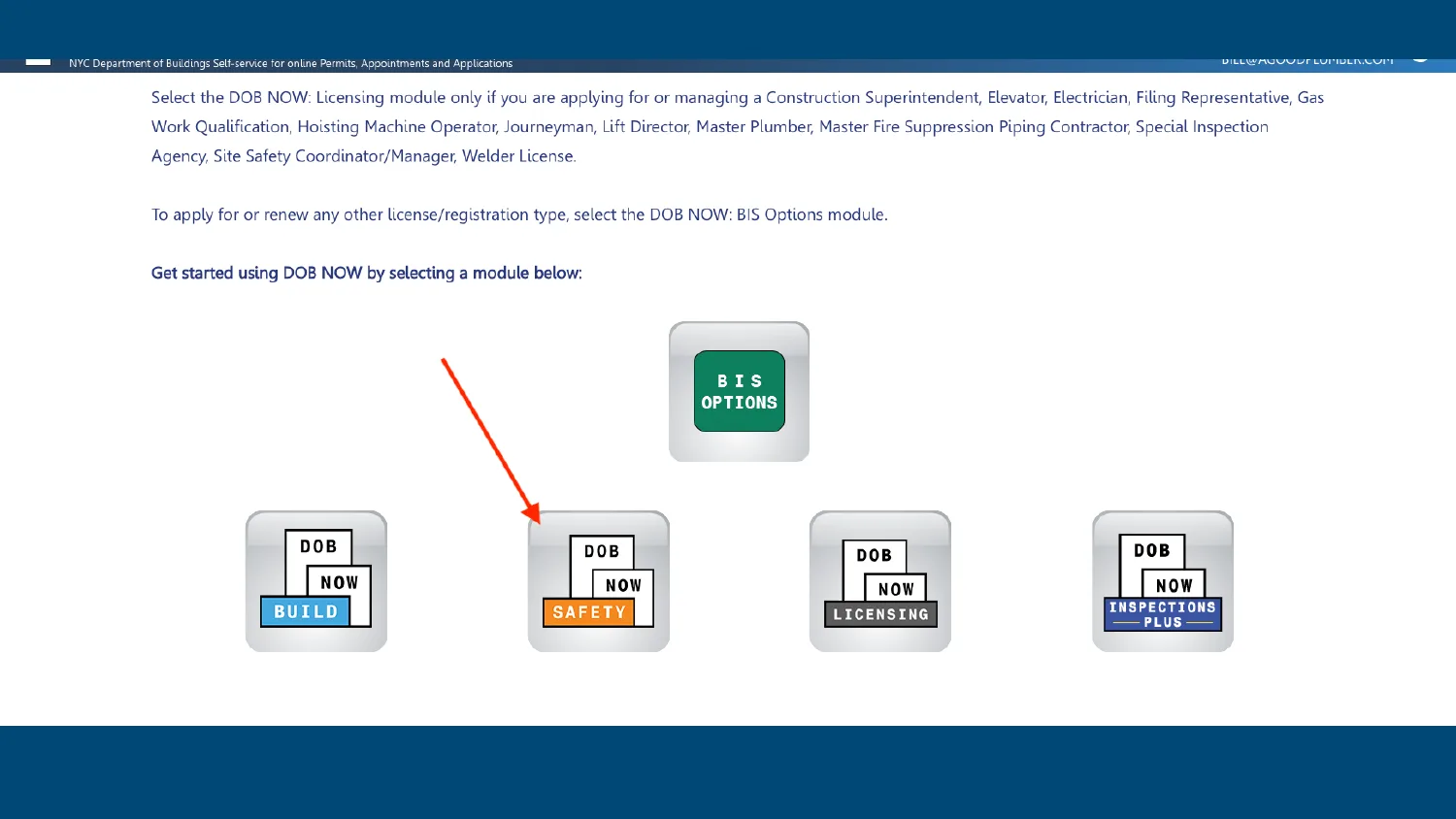
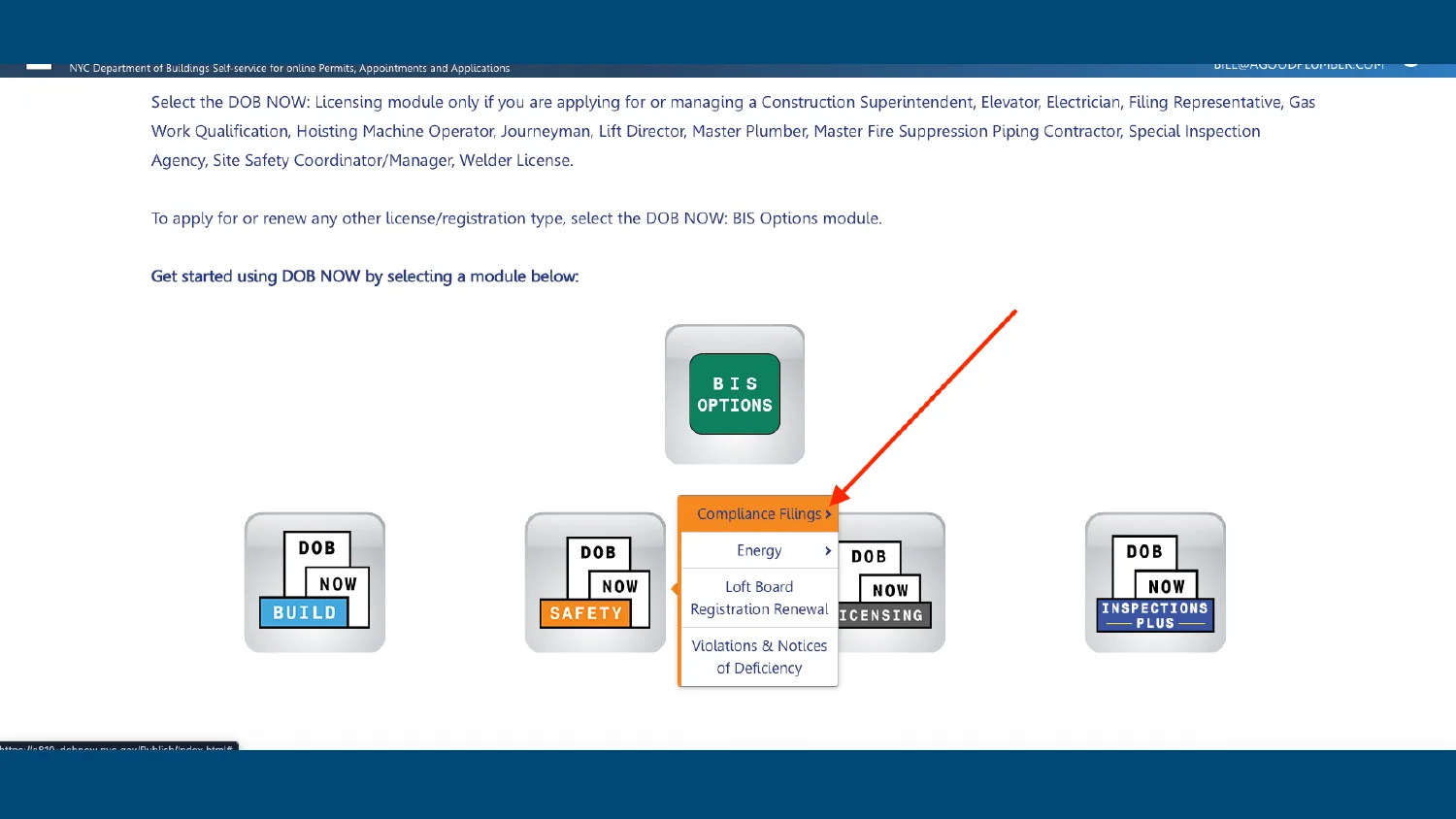
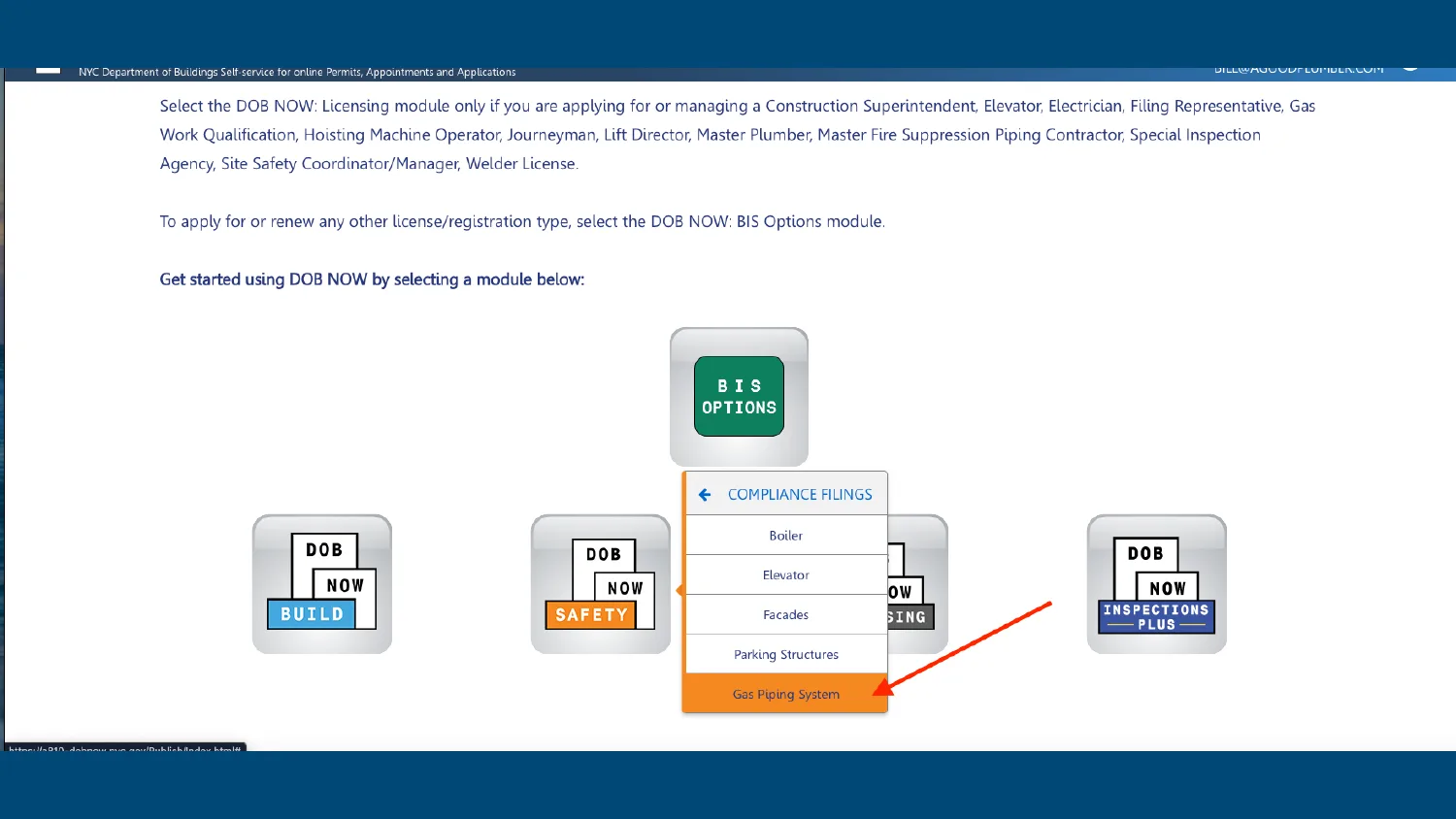
From the module selection screen, choose DOB NOW: Safety. Open Compliance Filings, then choose Gas Piping System.
You should arrive at the Gas Piping System Certification Dashboard.
 Enlarge screenshot ↗
2.aOpen Compliance FilingsTap to view this screen
 Enlarge screenshot ↗
2.bSelect Gas Piping SystemTap to view this screen
 Enlarge screenshot ↗
From AGP’s PDF walkthrough. Tap a screenshot to enlarge it.
Open the filing for your property
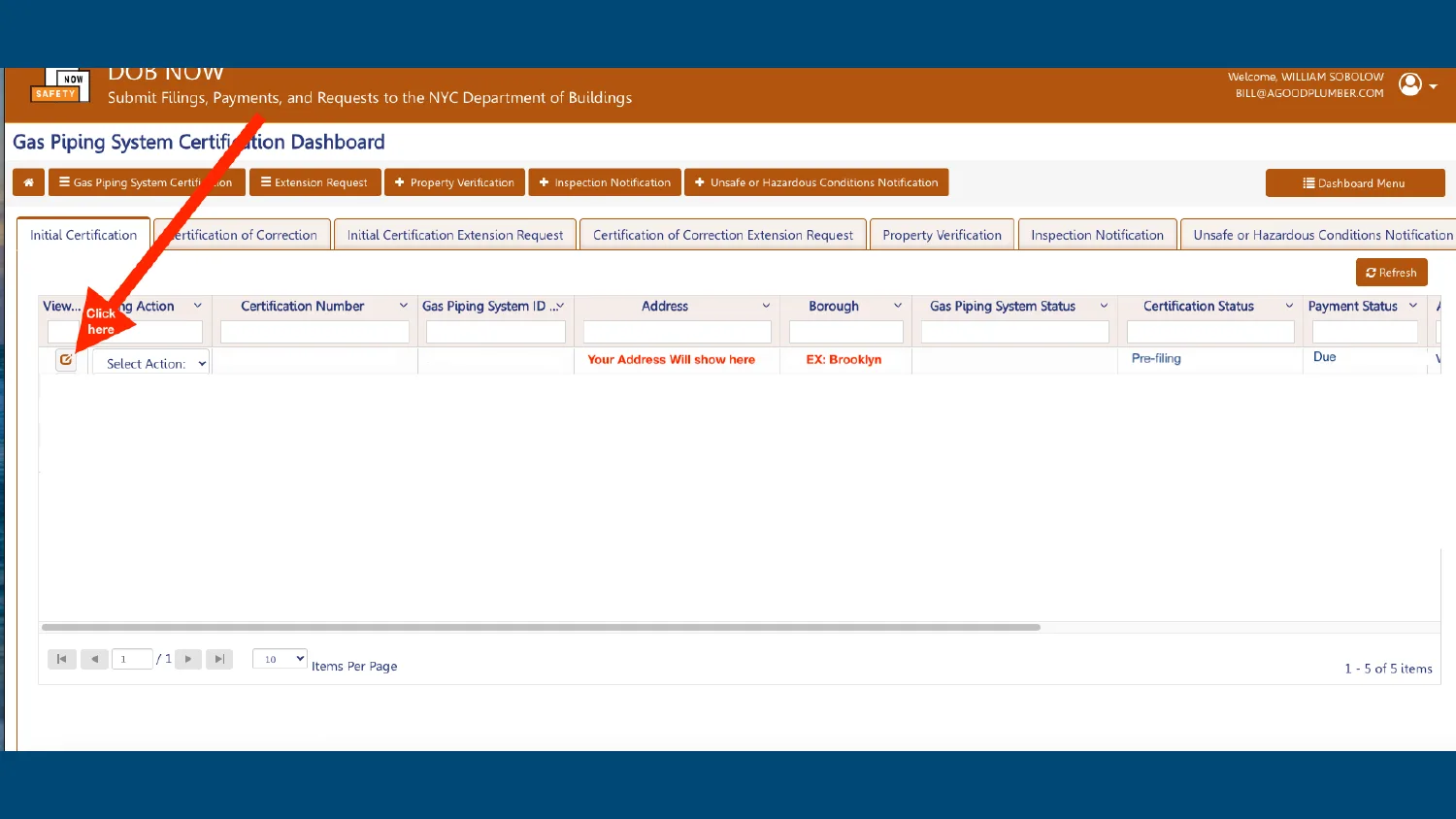
On the Initial Certification tab, find the row showing your property’s address. Check the address and borough, then click the small View / edit icon at the far left of that row.
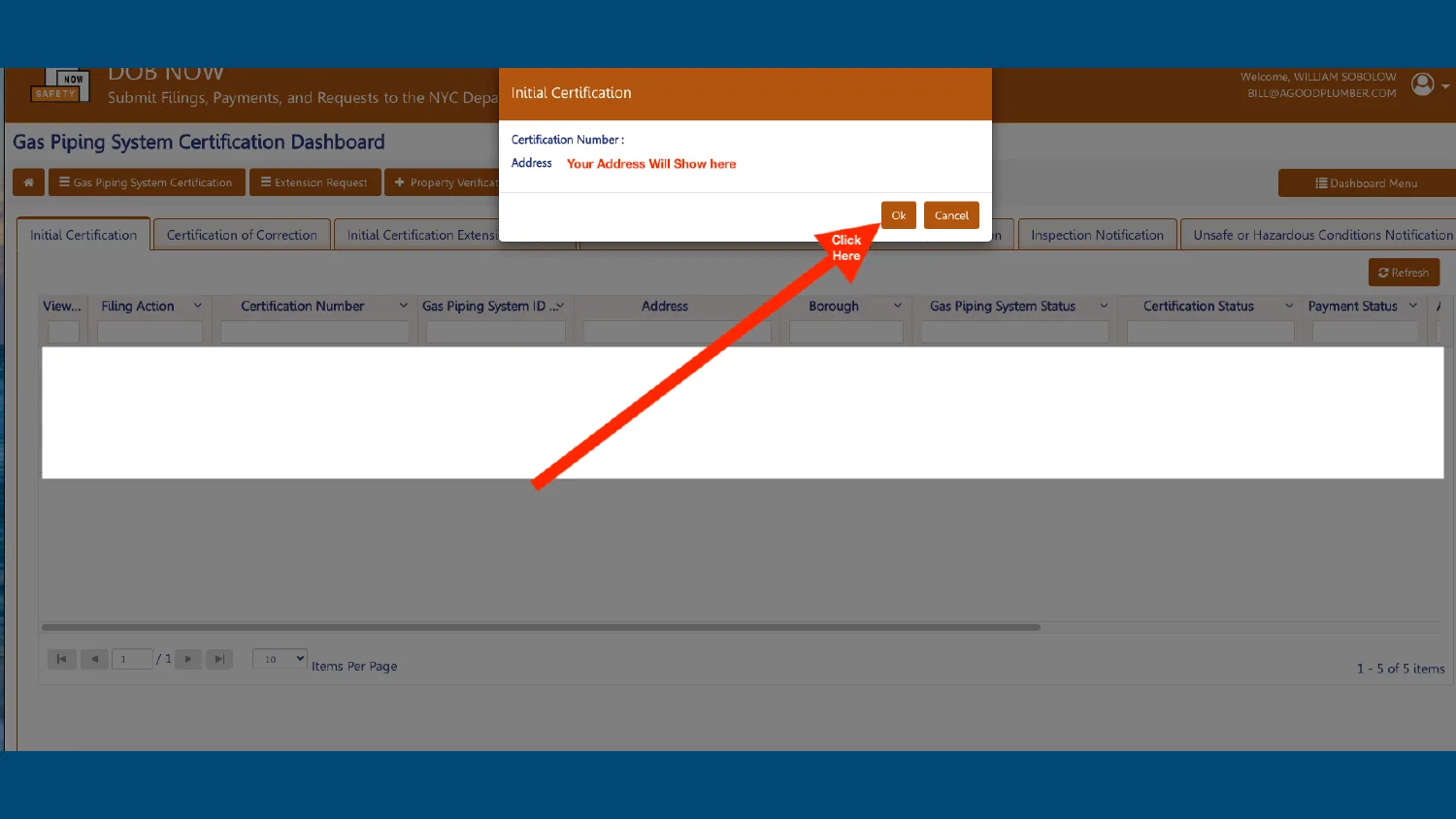
In the Initial Certification pop-up, confirm the address and select OK.
 Enlarge screenshot ↗
3.aConfirm your property addressTap to view this screen
 Enlarge screenshot ↗
From AGP’s PDF walkthrough. Tap a screenshot to enlarge it.
Review your information & sign
Your building information should already appear. Review the filing, then select Statements & Signatures in the left-hand menu.
Scroll to Attestation of Building Owner. Read the statement carefully. If the information is correct and you agree, personally check the owner’s attestation box in DOB NOW. Your name and date should fill in automatically.
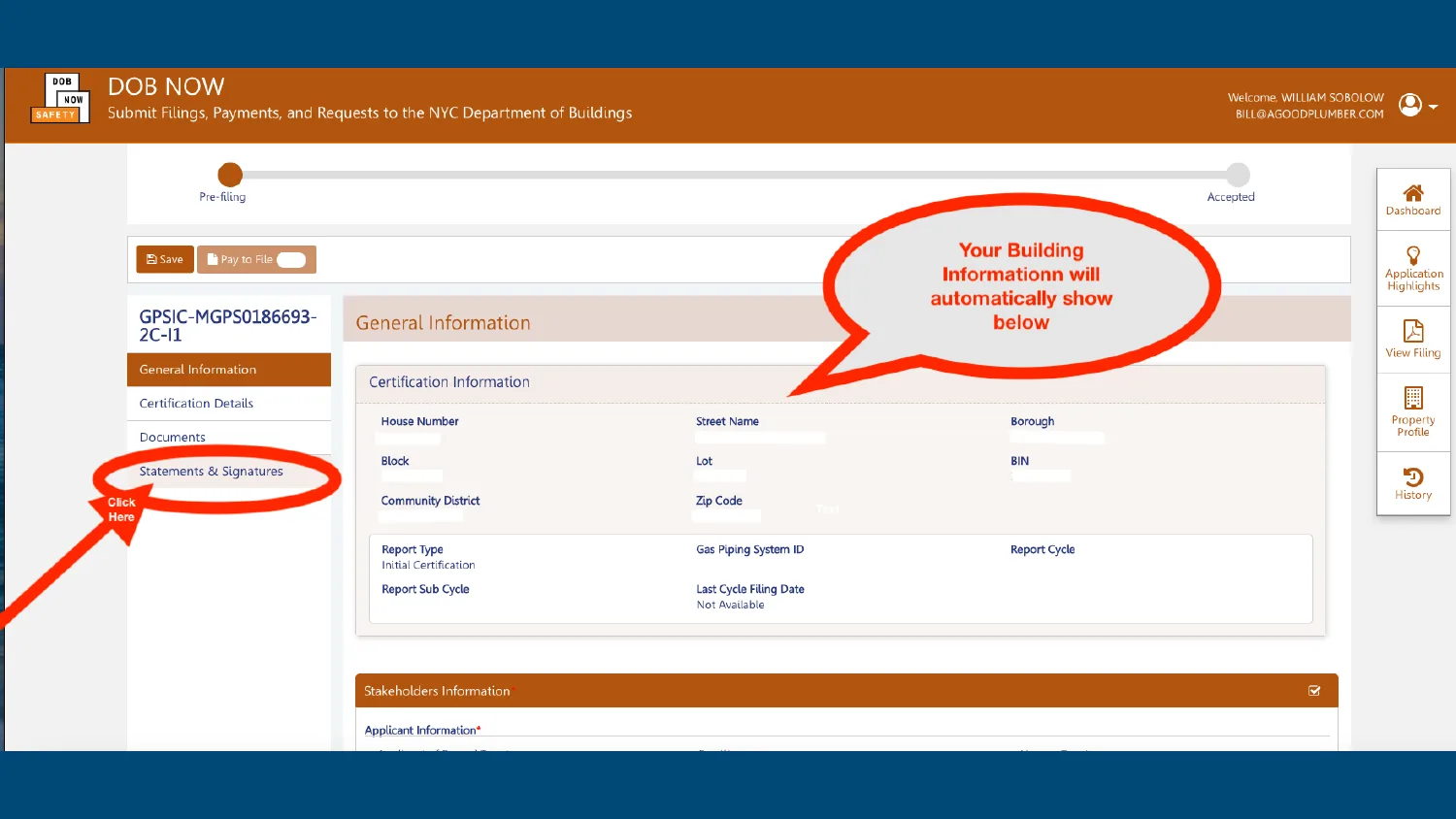 Enlarge screenshot ↗
4.aReview & sign the owner’s attestationTap to view this screen
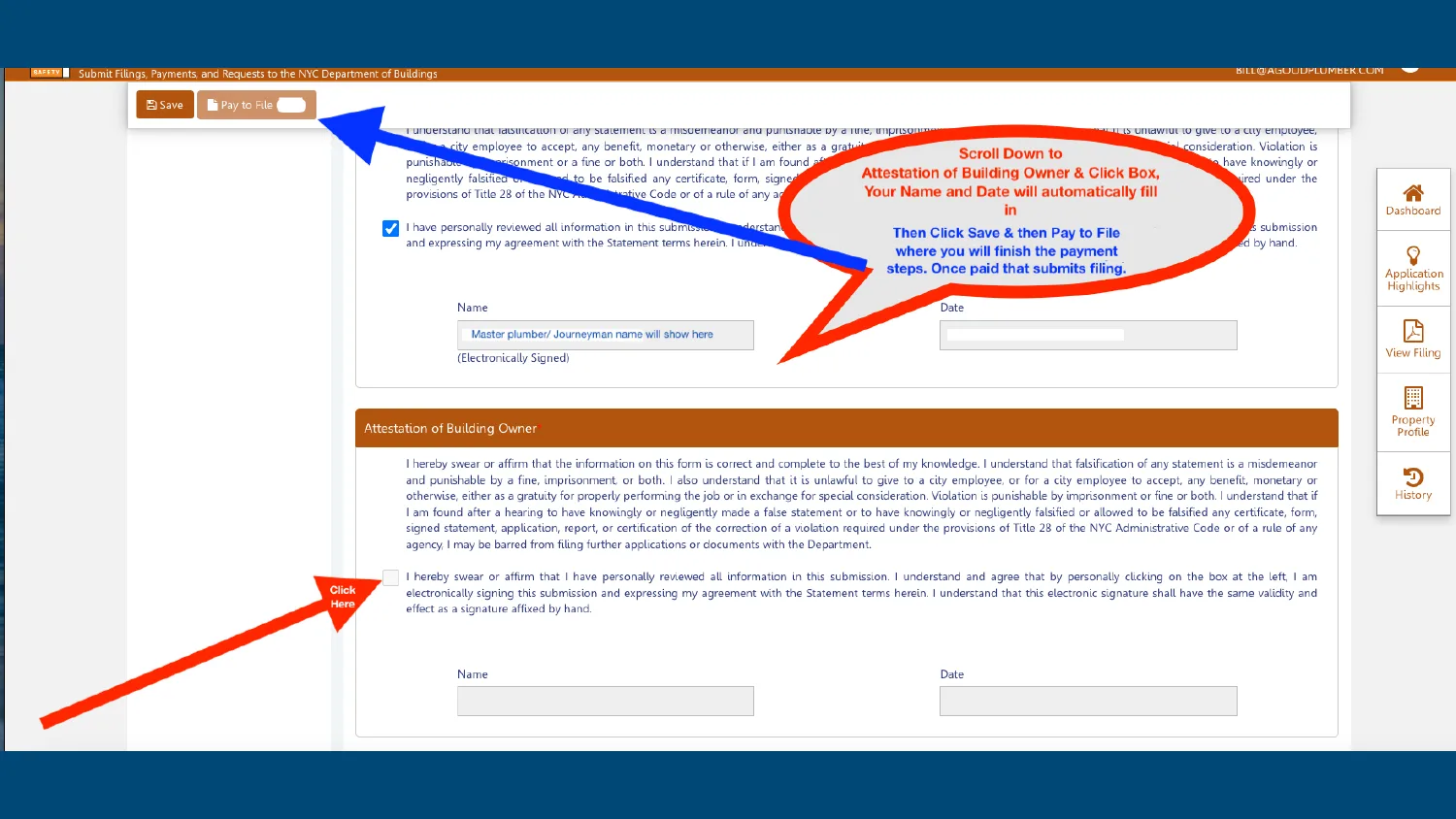 Enlarge screenshot ↗
From AGP’s PDF walkthrough. Tap a screenshot to enlarge it.
Save, then pay to file
Select Save near the top of the filing. Then select Pay to File and follow the payment instructions in DOB NOW.
Review the amount and payment details displayed in the NYC portal before completing payment. Keep the receipt or payment reference.
Enlarge screenshot ↗From AGP’s PDF walkthrough. Tap a screenshot to enlarge it.
Confirm your filing went through
Check DOB NOW for the submission confirmation and your filing’s updated status. Keep a copy of the filing confirmation along with your payment receipt.
If the filing still shows Pre-filing, payment still shows Due, or you receive an error, contact A Good Plumber for help before assuming it is complete.
Enlarge screenshot ↗From AGP’s PDF walkthrough. Tap a screenshot to enlarge it.
A little help along the way
I don’t see my property or filing.
Confirm you are signed in with the email associated with your filing. If it is still missing, contact A Good Plumber so we can help you find the correct record.
My name or building details are incorrect.
Pause before signing and contact A Good Plumber. Review corrected information in DOB NOW before completing your attestation.
Payment failed or there is no confirmation.
Check the payment result and receipt before trying again. If you are unsure whether you were charged or the filing was submitted, contact A Good Plumber for help.
Does this guide save my progress?
Checklist progress is saved on this browser when browser storage is available. It does not sync to DOB NOW or AGP. On shared devices, reset the checklist when you are finished.