
Your account.
Your first steps.
Create your NYC.ID, complete your DOB NOW profile, and get ready to access your filings. Follow along one step at a time.
Keep this guide open next to the official NYC portal.
Confirm your account is active in DOB NOW. When your filing is ready, continue with AGP’s Final Filing Guide.
Open the official DOB NOW portal
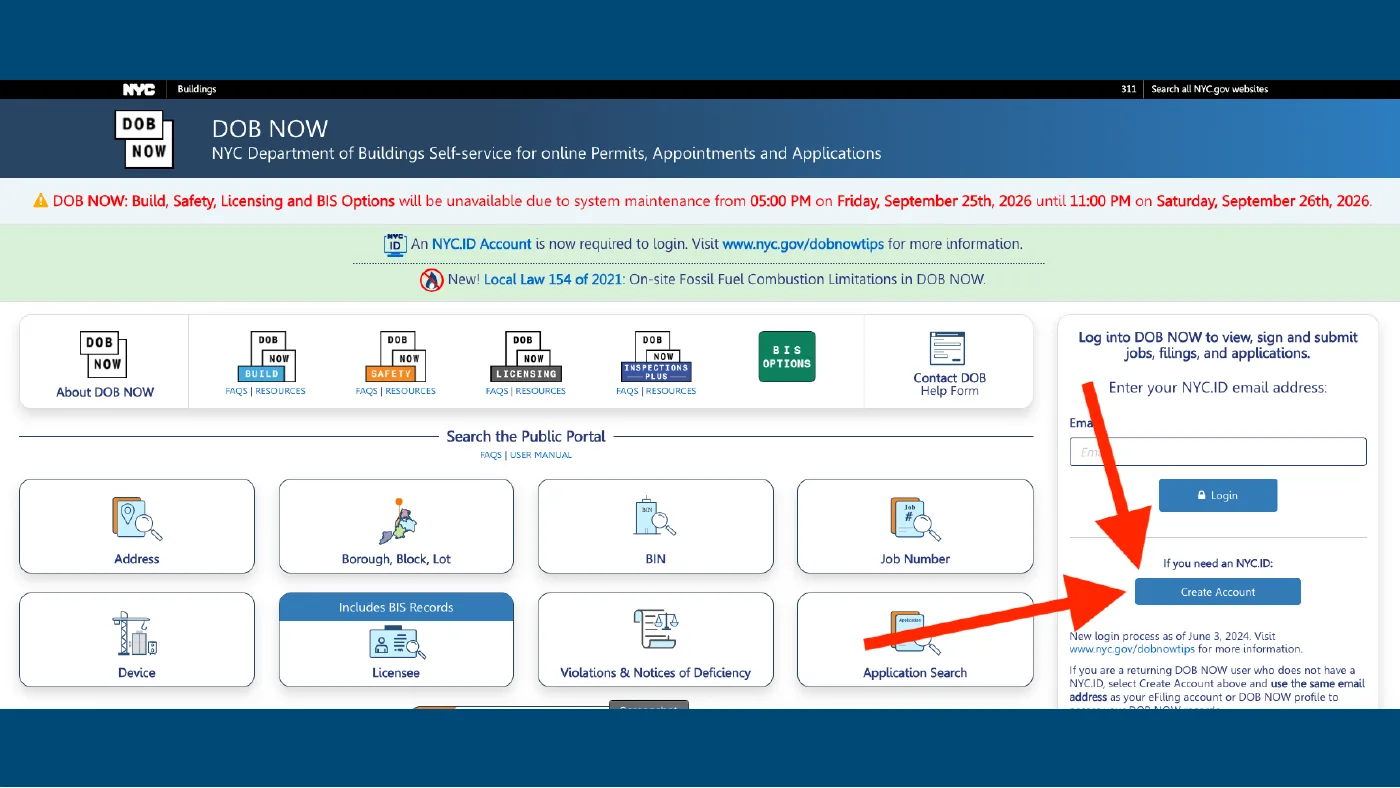
Open DOB NOW and select Create Account in the login panel on the right. This takes you to NYC.ID, the sign-in account used for DOB NOW.
 Enlarge screenshot ↗
From AGP’s account walkthrough. Tap a screenshot to enlarge it.
Enter your account information
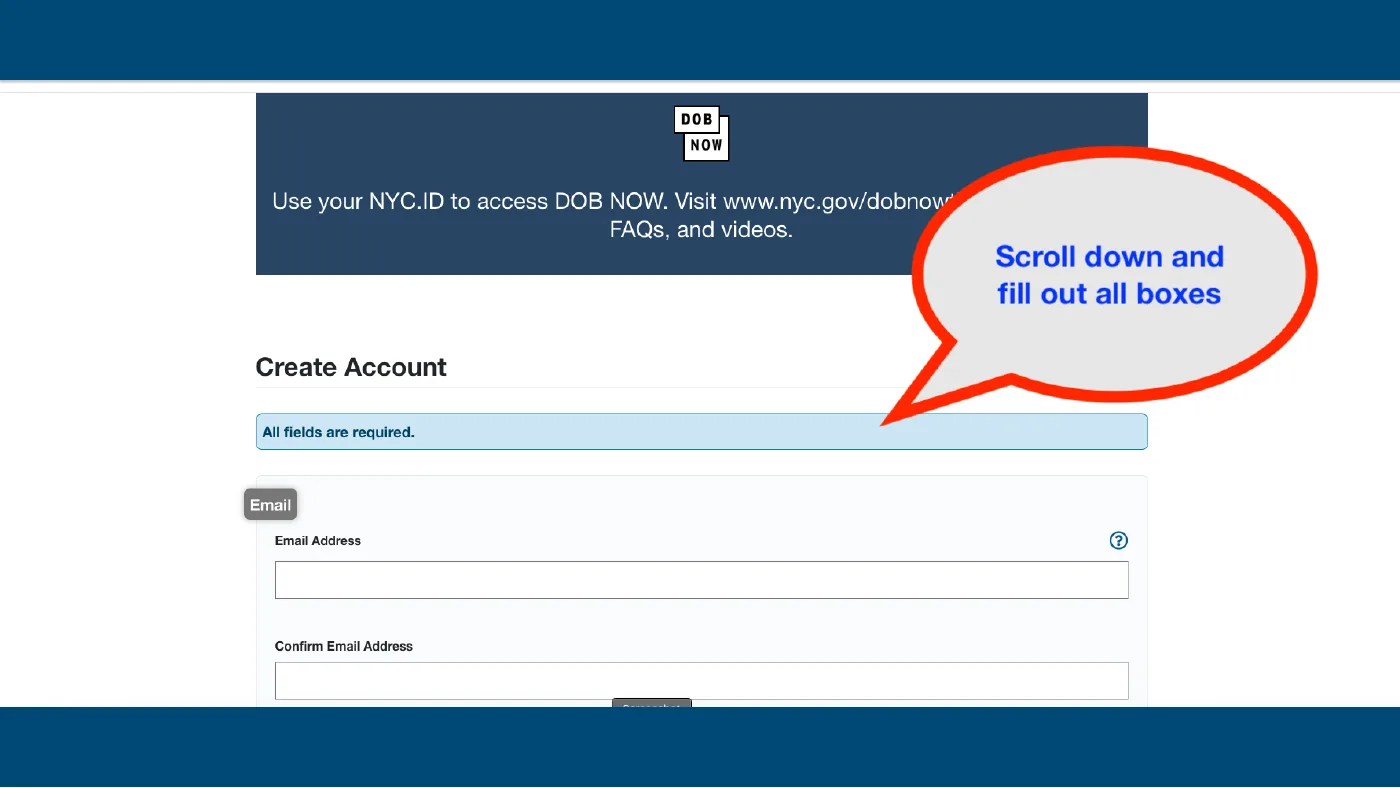
Enter and confirm the email address you want associated with your DOB NOW filings. Scroll through the registration form and complete each required field, including your name and password, following the requirements on screen.
Review the NYC.ID terms and complete any verification shown. If you agree to the terms, submit the registration yourself.
 Enlarge screenshot ↗
From AGP’s account walkthrough. Tap a screenshot to enlarge it.
Activate your email, then return to DOB NOW
Open the activation email from NYC.ID and follow its confirmation link. Then return to DOB NOW ↗, enter your email, and sign in with NYC.ID.
On your first sign-in, DOB NOW prompts you to create a profile. If your profile is already active, proceed to the final step.
Fill in your DOB NOW profile
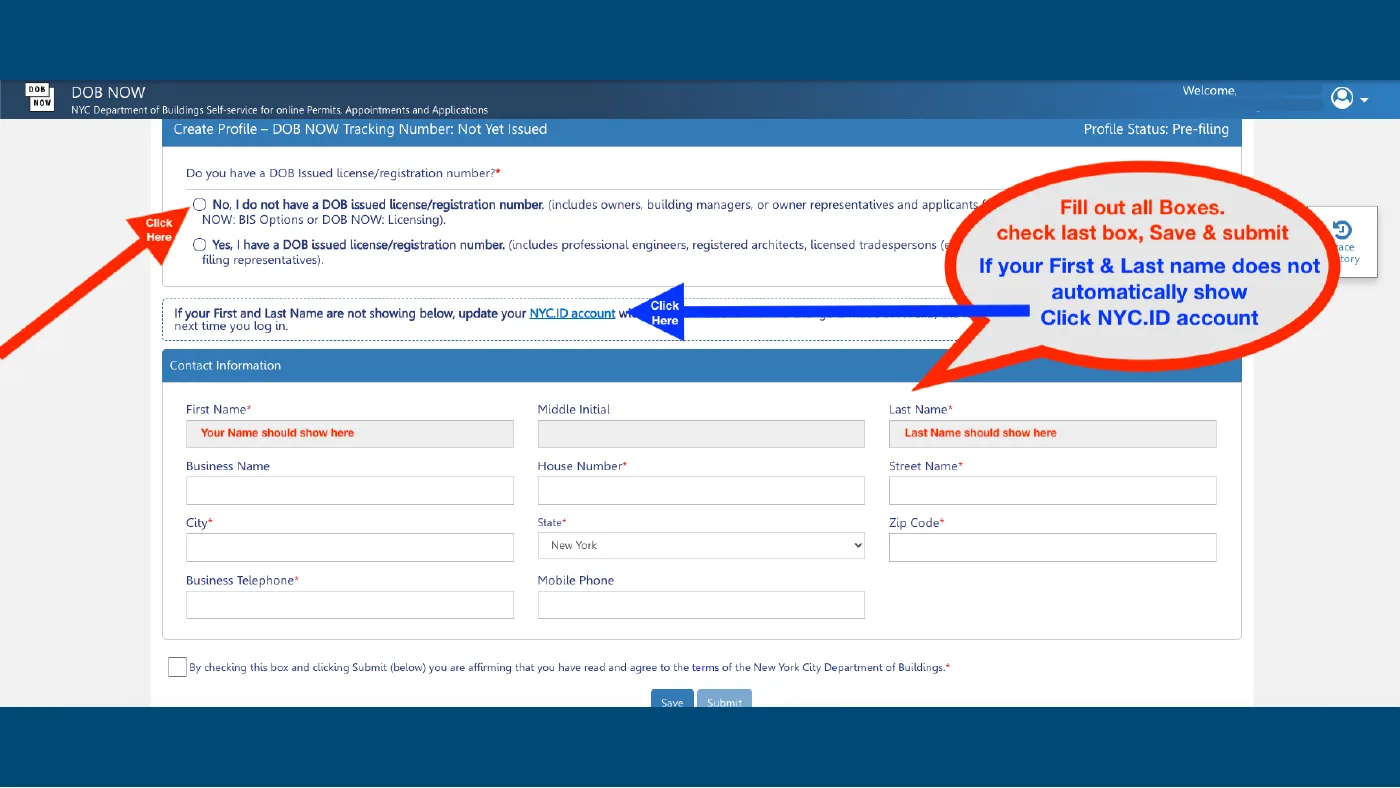
For a building owner or representative who does not hold a DOB-issued license or registration number, select No, I do not have a DOB issued license/registration number. If you do hold one, choose the option that accurately applies to you.
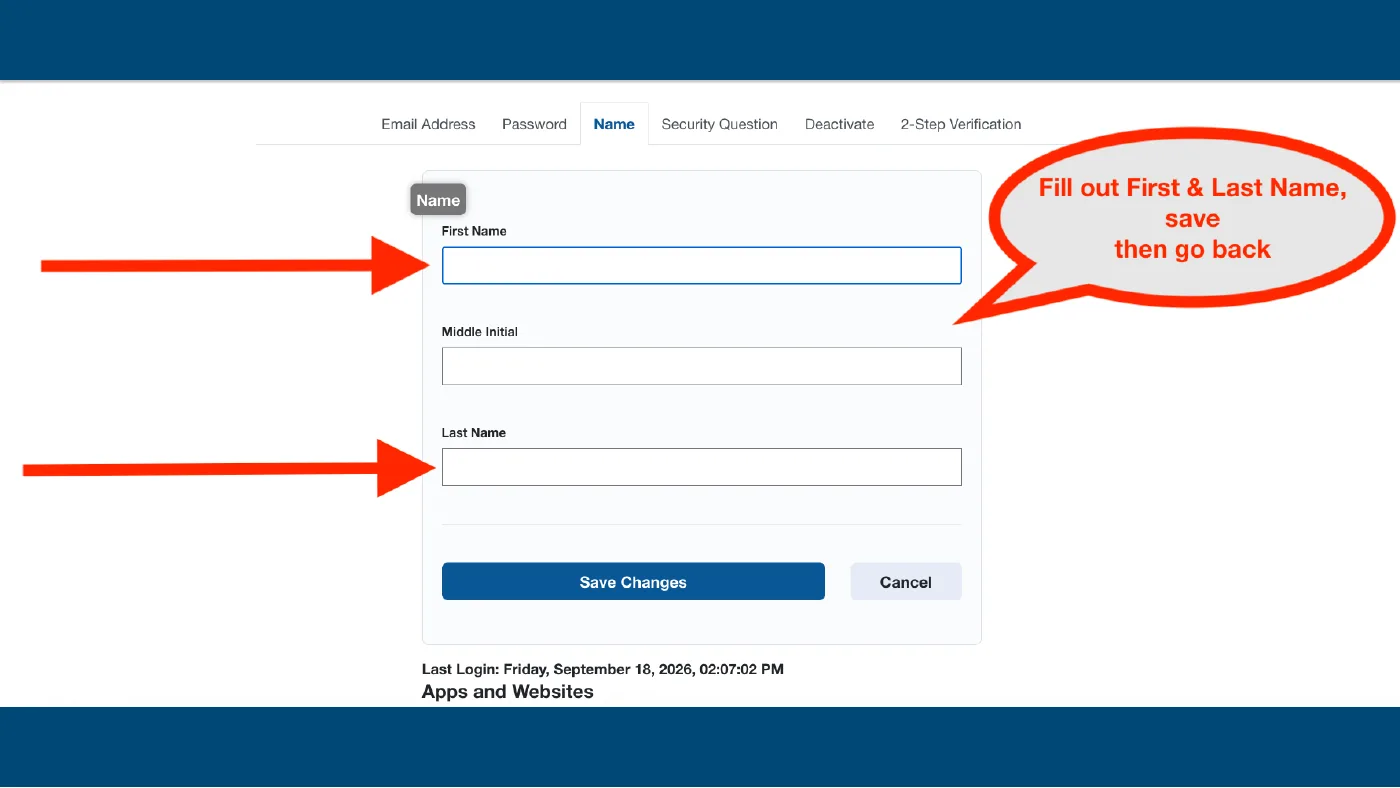
Check your first and last name, then complete the required contact and address fields marked with an asterisk. Enter your own information, not the example details shown in screenshots.
 Enlarge screenshot ↗
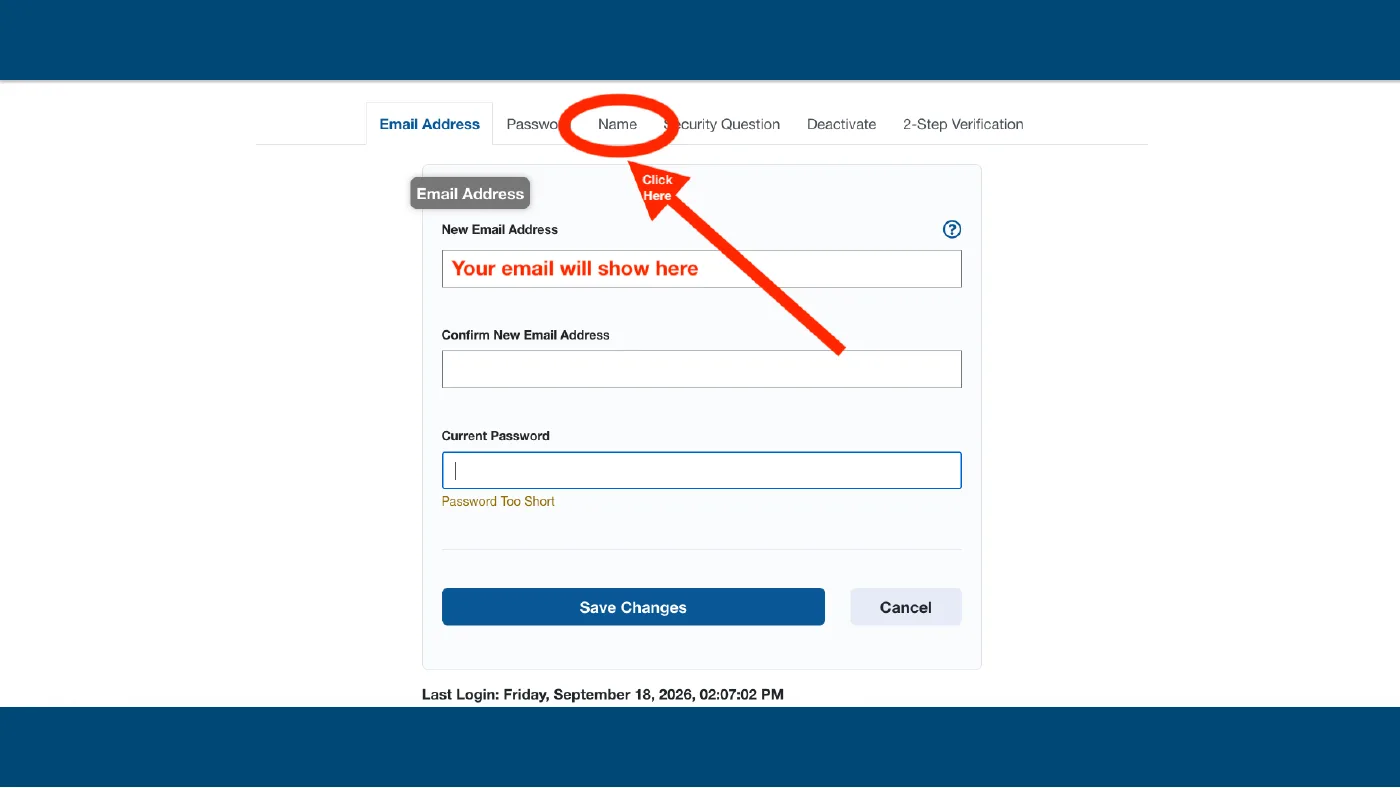
4.aOpen the Name tabTap to view this screen
 Enlarge screenshot ↗
4.bSave your first and last nameTap to view this screen
 Enlarge screenshot ↗
From AGP’s account walkthrough. Tap a screenshot to enlarge it.
Review the terms and submit your profile
Review your completed profile and the DOB terms. If you agree, check the agreement box, select Save, then Submit.
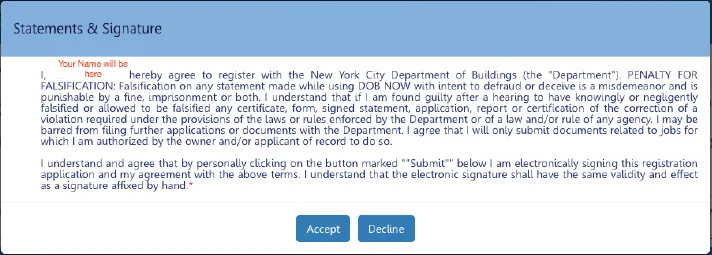
Read the Statements & Signature pop-up carefully. If the information is accurate and you agree, select Accept yourself.
 Enlarge screenshot ↗
From AGP’s account walkthrough. Tap a screenshot to enlarge it.
Confirm your profile and open the dashboard
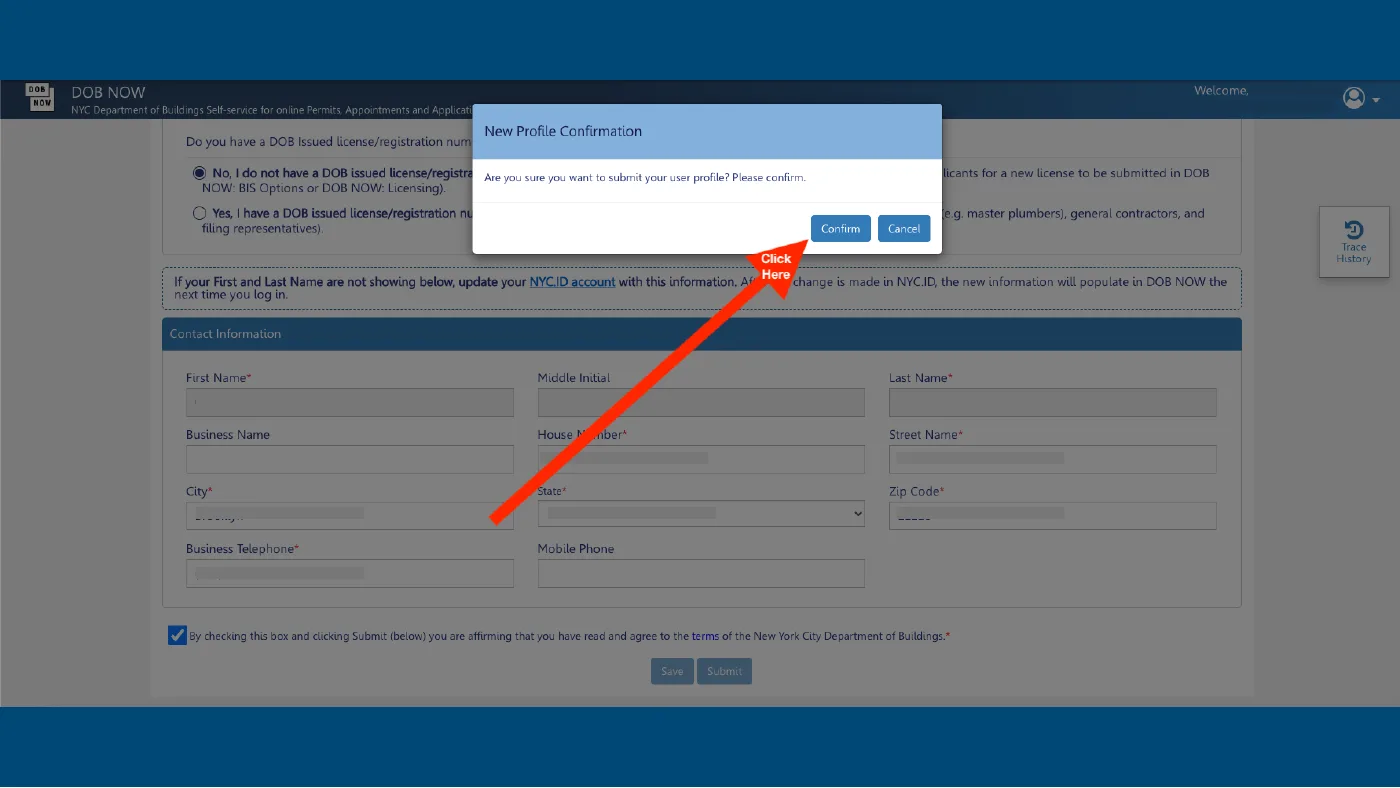
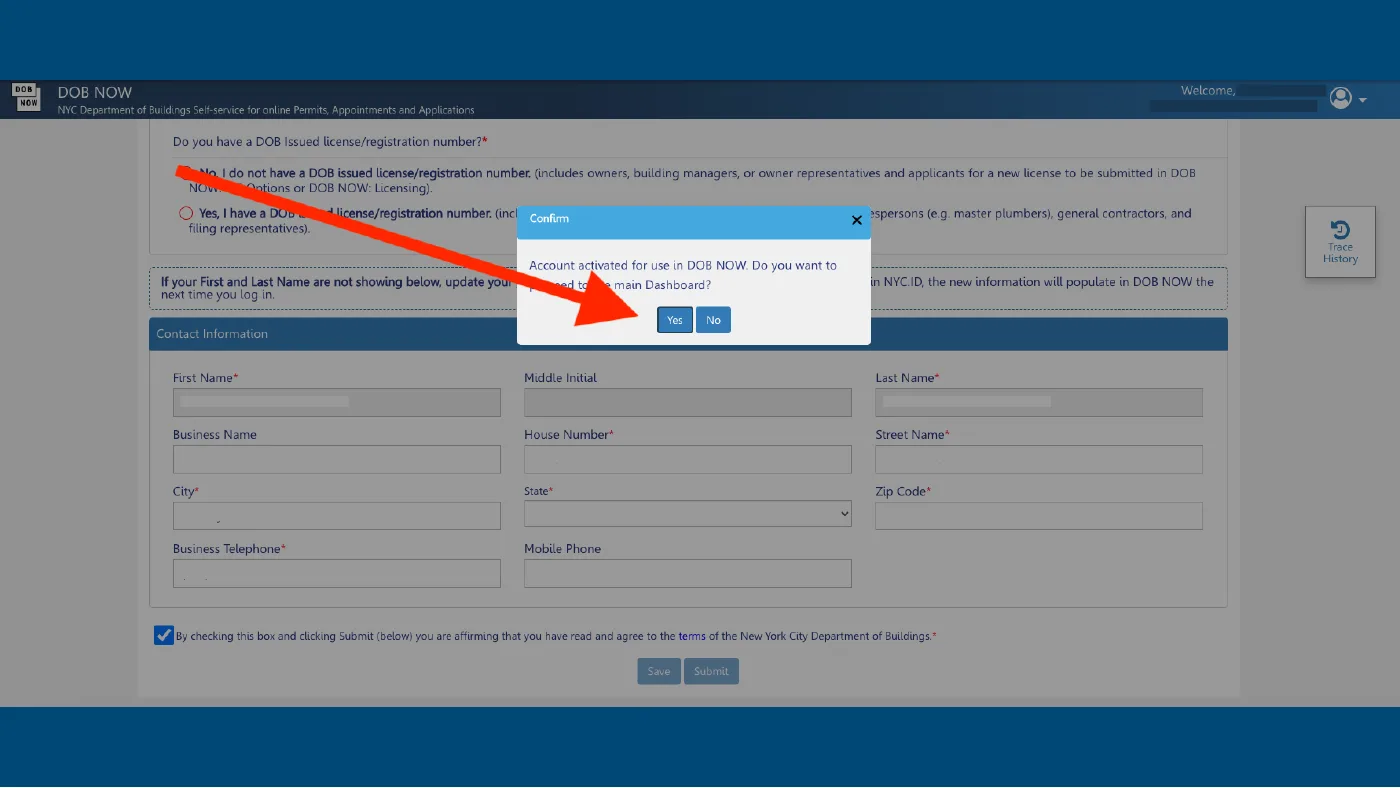
In New Profile Confirmation, select Confirm when you are ready to submit your profile. Look for the message that your account is activated for use in DOB NOW.
Select Yes to continue to the main dashboard.
 Enlarge screenshot ↗
6.aOpen your activated accountTap to view this screen
 Enlarge screenshot ↗
From AGP’s account walkthrough. Tap a screenshot to enlarge it.
A little help along the way
My email is already in use.
You may already have NYC.ID. Enter that email on DOB NOW, continue to NYC.ID, and use Forgot Password if needed.
My name is missing in DOB NOW.
Follow sections 4.a and 4.b to update the Name tab in NYC.ID. Save Changes, then sign out and back into DOB NOW.
I have an account but cannot see my filing.
Check that you used the email associated with your filing. Contact AGP for help matching your account to your filing.
Does this guide save my progress?
Checkmarks are saved in this browser when storage is available. They do not create an account, verify NYC records or notify AGP.